A FILE YOU CAN ACTUALLY TRY
Sample VTT file
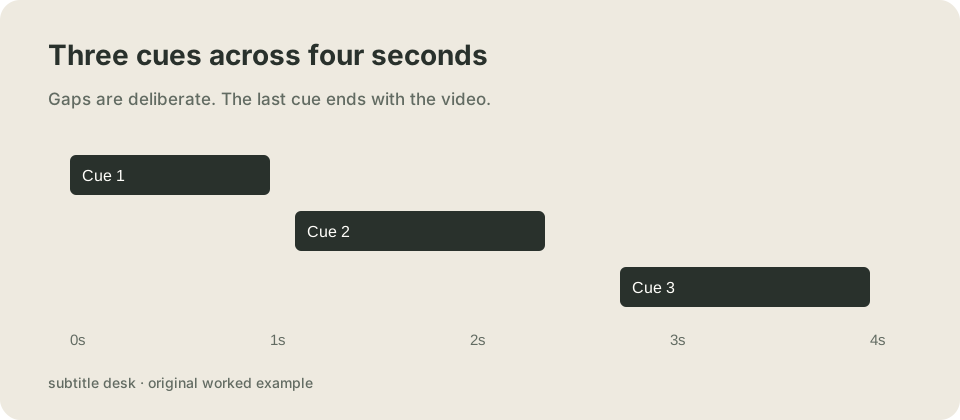
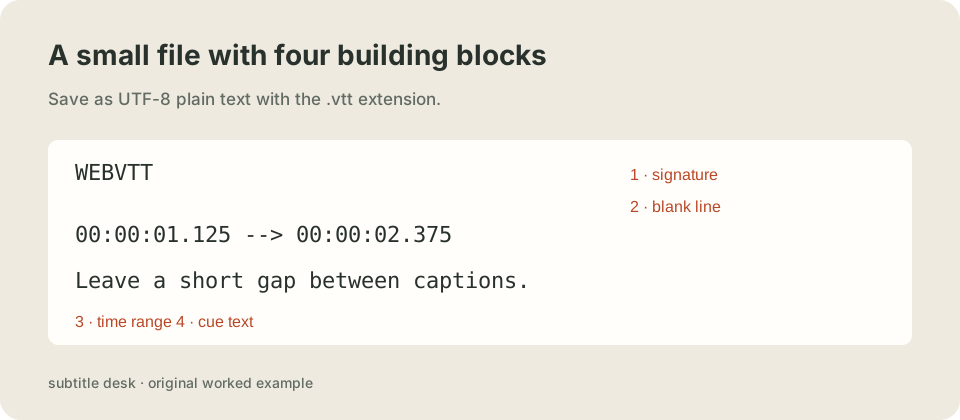
Download this UTF-8 .vtt file and use it with the matching four-second video below. It contains three timed cues. The blank line after WEBVTT and the dots in its timestamps are intentional.
WEBVTT

00:00:00.000 --> 00:00:01.000
One file. Three cues.

00:00:01.125 --> 00:00:02.375
Leave a short gap between captions.

00:00:02.750 --> 00:00:04.000
Keep the final cue inside the video.
Watch the exact file, not a separate mock-up
The video, caption sentences and test files on this page were made together for this example. Turn captions on in the player if they are not already visible. The first cue runs from zero to one second; the next cue starts after a short gap. The last line ends at four seconds. Those small gaps make it easier to tell which cue is active without relying on spoken audio.
Download the matching video. The sample is an original demonstration, not a transcript of an existing recording.
Save a VTT file correctly
Copy the block above into a plain-text editor. Save it as UTF-8 and name it sample.vtt, with no extra .txt suffix. Keep a blank line between cue blocks. If your source is already SRT, use the converter rather than renaming the extension: the header and time notation also need to change.
Reproduce our five-file check
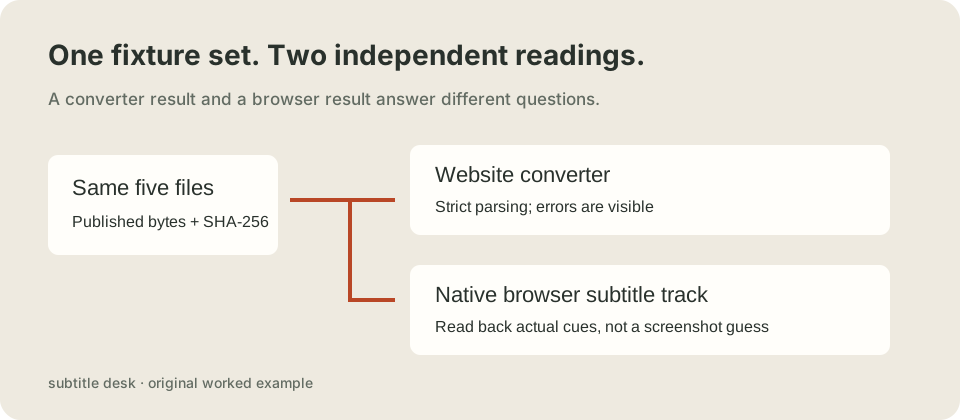
We changed one feature of our sample at a time: remove its signature, replace timestamp dots with commas, reverse cue blocks, or add speaker and italic markup. The files remain available below, including the deliberately broken ones. Each hash identifies the exact UTF-8 bytes used, so a later edit cannot silently turn into the same experiment.
The website path runs the same parser used by the homepage. The other path asks this browser to load each file through a native subtitle track, then reads the cues the browser actually exposes. Acceptance by one parser does not promise identical handling by the other. Cue count alone also does not prove that a player will display a caption at the moment you expected.
Measured 2026-10-26T08:09:38.511Z using Chrome/156.0.0.0. The table below is the observed run; use the button to replace it with your own browser measurements.
The check loads only this site's published demonstration files. No visitor file is requested or uploaded.
| Fixture | Website parser | Native track | Cue times read back |
|---|---|---|---|
| Three-cue sample | accepted · 3 cues | loaded · 3 cues | 0.000–1.000; 1.125–2.375; 2.750–4.000 |
| Header removed | rejected · 0 cues | load error · 0 cues | No cues read back |
| SRT commas in VTT | rejected · 0 cues | loaded · 0 cues | No cues read back |
| Cue blocks reversed | rejected · 0 cues | loaded · 3 cues | 0.000–1.000; 1.125–2.375; 2.750–4.000 |
| Voice and italic markup | accepted · 2 cues | loaded · 2 cues | 0.000–2.000; 2.000–4.000 |
What this recorded run shows
In the recorded Chrome run, the comma-timecode file reached the loaded state but exposed no cues. The reversed-block file exposed three cues in time order, while our website parser refused its input order. The missing-header file raised a track load error. These are separate observed outcomes: loading a resource is not the same as reading usable captions, and browser tolerance is not permission to silently repair an uploaded source. The voice-markup fixture exposed two cues, with its markup still present in the returned cue text. Repeat the check above for the browser you plan to use.
Download the same inputs
- Three-cue sample (.vtt) — 195 bytes. SHA-256:
a112ea76efdb6ce9b812ddbc28850547e87f2c8a0fe74cbeea54f6491ab820bc - Header removed (.vtt) — 187 bytes. SHA-256:
a2aa96fb016bf06e55c84612f8fedff75019a9aa6543fb52cd43f4d8357be0dd - SRT commas in VTT (.vtt) — 195 bytes. SHA-256:
f919d307546bbc3dc1e809d946f70ab72a2c10ac0e9d51285eb85b95f2d99d30 - Cue blocks reversed (.vtt) — 195 bytes. SHA-256:
1c2208338ce6f473f669b214b9de6041da3aff8e47d098a59a4e82af05e13b73 - Voice and italic markup (.vtt) — 172 bytes. SHA-256:
cd48c4359fa7af566868b6b08806582b623f596e7097919c44235711fca3d3d7
Run the check in your own browser before using the result as a compatibility decision. The recorded run documents one browser version on one device; it is not a universal pass certificate. A network error or timeout is reported separately from a file the browser loaded with no cues.
Questions before you use the sample
Can I use it with a longer video?
Yes, but these captions end at four seconds. They do not stretch to the rest of your recording. Replace the words and set cue times against your own media.
Why do I get no visible subtitles?
Check that the player actually selected the caption track, that playback is inside a cue's interval, and that the caption request loaded successfully. A file that loads is different from a track that is selected. The browser check above reports loading and cues; the visible player lets you check display separately.
Does this file include sound?
No. VTT stores timed text, not audio or video. The accompanying MP4 is a separate original visual demonstration. To make captions match speech, you need real timing from the recording or timings you have reviewed yourself.
Watch the short explanation
This original three-card explanation uses a synthetic English voice. It describes the sample and the two test paths, without third-party footage.
Can I copy and edit these examples?
Yes. The sample files, diagrams and demonstration video made for this page are released under CC0. They contain invented demonstration sentences, no private customer captions and no third-party footage.
Format references
See the W3C WebVTT specification for syntax, and MDN TextTrack.cues for reading a browser's cue list. The measurements and example sentences above are our own.